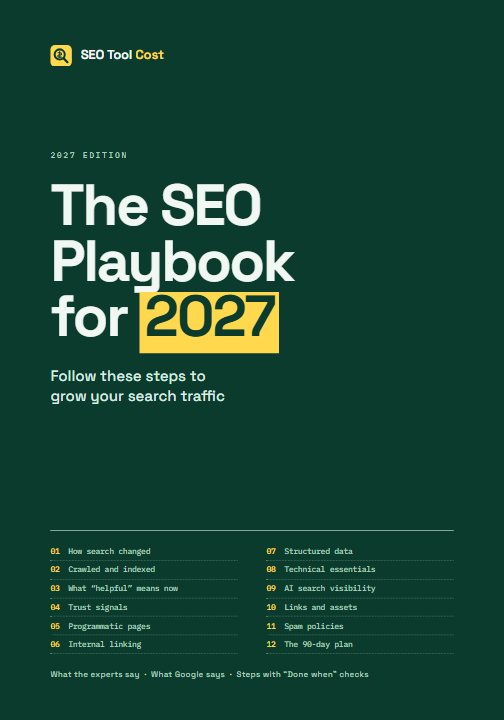
2027 edition · PDF and EPUB
The SEO Playbook for 2027
Follow these steps to grow your search traffic. Twelve chapters on what experienced SEOs and researchers found in 2025 and 2026, what Google says where it disagrees with them, and numbered steps, each with a check that tells you when it's done.
$39 one-off payment, PDF and EPUB, no DRM
Not on sale yet. Free now: read Chapter 9 online or download it as a PDF (16 pages, 320 KB).
Before you buy: the terms of sale (licence, refunds) and the privacy policy.
What's inside
Twelve chapters and a source list. Each chapter ends with numbered steps; here is what working through them leaves you with, and the steps themselves.
01 How search changed in 2025–2026, and what 2027 holds
A dated baseline before you change anything: 16 months of Search Console data, branded and non-branded traffic as separate series, every update marked on your chart, AI-surface and indexing numbers, a change log and a monthly review.
The 10 steps, 1 “What Google says” box
- Export your Search Console history
- Split branded from non-branded traffic
- Mark the update timeline on your traffic chart
- Record your AI-surface baseline
- Record your indexing baseline by template
- Check twenty of your most valuable queries by hand
- Record the state of your AI and crawler controls
- Start a change log for your own site
- Subscribe to the primary sources
- Put a monthly review on the calendar
02 Getting a new site crawled and indexed
Both search engines verified, crawler access confirmed end to end, a sitemap with honest lastmod dates submitted, IndexNow for changed URLs only, a written launch list, no orphan pages, and indexing reviews at 30, 60 and 90 days.
The 10 steps, 1 “What Google says” box
- Verify the site in Google Search Console and Bing Webmaster Tools
- Confirm that search crawlers are allowed in
- Build a sitemap of canonical, indexable URLs with honest lastmod dates
- Submit the sitemap to both engines
- Send IndexNow pings for changed URLs only
- Decide your launch set and hold the rest back
- Link every launch URL from at least one indexable page
- Request indexing once for the home page and three to five hubs
- Set up weekly checks for the first 90 days
- Review indexing by template at 30, 60 and 90 days
03 What “helpful” means now for comparison, affiliate and publisher sites
For every template: the sources it draws on, what it adds that they don't, that added value placed first, ranked lists with stated criteria, and a five-question score for your top 50 pages.
The 9 steps, 2 “What Google says” boxes
- List your page templates and, for each, the source sites it draws on
- For each template, write down what it adds that those sources do not
- Put the added value first on the page
- Build or link a calculator from every comparison template
- Rebuild ranked lists around stated criteria
- Run the one-page test on your top 50 pages by impressions
- Check YMYL pages against primary sources
- Retire commodity content
- Schedule a quarterly value review
04 Trust signals for publishers, including small and anonymous ones
An About page a stranger can read, contact details on every page, a methodology page, a source and date beside each figure, disclosures, byline and dates policies, a corrections route and a note of your legal obligations.
The 10 steps, 1 “What Google says” box
- Write or rewrite the About page
- Put working contact details in the footer of every page
- Publish a methodology page
- Put a source and a date next to every important figure
- Label commercial relationships
- Remove any invented people and any testing claims you cannot back up
- Decide where bylines belong
- Make dates honest and consistent
- Add a corrections route and a change log
- Check your legal obligations for disclosure, ranking transparency and provider information in the countries you serve
05 Programmatic and templated pages done right
Each template's question and the evidence that people search for it, a small launch batch, answer-first pages with a working tool, overlap measured and near-duplicates merged, expansion only on evidence, and quarterly pruning.
The 10 steps, 1 “What Google says” box
- List every template with its page count and the question each page answers
- Check demand before building or expanding
- Launch or relaunch with a small batch
- Make the answer and the unique data the first thing on every page
- Attach a working tool to each template
- Publish the method and sources for each template
- Measure overlap within each template
- Remove the risky patterns
- Expand only on evidence
- Prune on a schedule
06 Internal linking and site architecture
A one-page map of your hierarchy, hubs worth landing on, breadcrumbs with markup, chosen cross-links, a “new and updated” block, crawlable links, pagination rules and filters kept out of the crawl.
The 10 steps
- Map your hierarchy on one page
- Make every hub a page worth landing on
- Add breadcrumbs with BreadcrumbList markup to every page below the home page
- Replace generic related-content blocks with chosen next steps
- Add a “new and updated” block to the home page and each hub
- Make every link crawlable
- Fix pagination and archives
- Keep filter combinations out of the crawl
- Audit links to and from your other sites
- Crawl on every release and track three numbers
07 Structured data in 2026–27
An inventory of your markup, dead and risky types removed, identity markup done once, BreadcrumbList, Article, Product and Dataset only where they belong, generated from the page's own data and validated in the build.
The 9 steps, 1 “What Google says” box
- Inventory the markup you emit today
- Remove dead and risky types
- Mark up your identity once, properly
- Add BreadcrumbList everywhere below the home page and Article on editorial pages
- Add Product markup only where the page shows a product’s price
- Add Dataset markup to pages that offer downloadable data
- Generate markup from the same data as the visible page
- Validate in the build
- Review Search Console’s enhancement reports monthly
08 Technical essentials
The main answer confirmed in every template's raw HTML, HTML size measured, status codes and redirects audited, one URL per page, Core Web Vitals checked, bot settings verified and crawler errors alerting you.
The 10 steps
- Check that every template’s main answer is in the raw HTML
- Measure HTML size per template
- Audit status codes
- Audit redirects
- Enforce one URL per page
- Check Core Web Vitals field data
- Keep infinite URL spaces out of the crawl
- Check CDN, firewall and security-plugin bot settings
- Set language and image basics
- Log crawler traffic and alert on errors
09 Visibility in AI search and answer engines
Every answer engine's search crawler allowed, training crawlers decided separately, Bing set up, answer-first openings on your ten key pages, a source by every figure, nothing that looks like manipulation, and AI measurement with a monthly prompt set. Free to read.
The 10 steps, 4 “What Google says” boxes
- Allow the search crawlers of every answer engine you want to appear in
- Decide on training crawlers as a separate question
- Get fully set up in Bing
- Leave Google’s Search generative AI control on “Include” unless you have decided otherwise
- Rewrite the opening of your ten most important pages to answer first
- Check titles, headings and slugs against how people ask
- Source every figure
- Remove anything that could look like AI manipulation
- Set up AI measurement
- Run a fixed prompt set monthly
10 Links and assets without outreach
A list of the data only you have, one free tool, one dataset with its method, how-to-cite lines, link-safe embeds, one brand name everywhere, and monthly tracking of links, mentions and AI citations.
The 9 steps, 1 “What Google says” box
- List the data and skills you have that others lack
- Build one free tool that answers a question your readers ask
- Publish one dataset with its method
- Add a “how to cite” line and stable URLs to every asset
- Make embeds and API terms link-safe
- Unify your brand name across every surface
- Remove anything that looks like paid or exchanged linking
- Set up monthly asset tracking
- Decide what to build next from the numbers
11 Spam policies, and how not to get caught out
A written self-audit against Google's spam policies, manual actions checked, redirecting domains and third-party content reviewed, risky templates and links removed, authorship and dates checked, and the audit booked every quarter.
The 10 steps, 1 “What Google says” box
- Run the self-audit above and write down the answers
- Check Search Console’s Manual actions and Security issues reports
- List every domain you own that redirects into this site
- Find and fix templates that multiply without data
- Review third-party content on your domain
- Remove required or keyword-rich links from embeds, widgets and API terms
- Remove sitewide links between your own sites
- Check authorship and dates
- Search your templates for hidden text, prompts or markup aimed at AI systems, and for anything that interferes with the back button
- Put the audit on the calendar
12 A 90-day plan, week by week
The steps from every chapter as one schedule: 37 steps over 13 weeks, plus three steps to load it into your task tracker, give each step an owner and book the reviews.
Then the sources: all 227, grouped by type, each with its date and link.
Experts first, then what Google says
Each chapter opens with what experienced SEOs and researchers said about the topic in 2025 and 2026, by name, with dates and links, including where they disagree with each other. Where Google's own statements contradict them, a box headed What Google says gives Google's position, who said it, when and where. There are 13 such boxes; where Google and the experts agree, there is none. Every claim carries a label for the kind of evidence behind it: [Official], [Googler], [Study], [Practitioner], [News], [Regulator], [Unverified] or [Our reasoning].
An example from Chapter 4, on trust signals. Much SEO guidance still treats author bios and credentials as signals to build; the chapter sets out that advice, then Cyrus Shepard's data and Marie Haynes's view against it, then this box:
Every chapter turns the evidence into numbered steps. The first of Chapter 4's 10:
Write or rewrite the About page. Name the publisher (trading name or legal entity), what the site does and does not do, how it is funded, who owns it in general terms, and, if you do not name individuals, why.
Done when: a stranger reading only the About page could say who runs the site, how it makes money and how to reach it.
The 13-week plan
Chapter 12 puts the steps in order for a new site or a rebuild: 37 steps over 13 weeks, each pointing back to the chapter that explains it. An established site can run the same sequence as an audit. Every step counts as done only when its check passes.
| When | Steps |
|---|---|
| Before week 1decide what the site is for |
|
| Week 1measurement and access |
|
| Week 2identity and trust |
|
| Week 3architecture |
|
| Week 4the launch set |
|
| Week 5technical quality assurance |
|
| Week 6crawler monitoring |
|
| Week 7first indexing review (about day 30) |
|
| Week 8assets |
|
| Week 9AI search |
|
| Week 10templates |
|
| Week 11spam-policy self-audit |
|
| Week 12second indexing review (about day 60–80) and value review |
|
| Week 13review and plan the next quarter |
|
The last three of Chapter 12's 40 steps load the plan into your task tracker, give each step an owner and a week, and book the reviews.
Who it's for
People who run, or are about to launch, a content site that has to earn its search traffic: comparison and price sites, affiliate and review sites, independent publishers, and small teams building data-driven pages. Most of the advice also applies to company blogs and resource sections.
It assumes you can edit your site's templates, read Search Console and change a robots.txt file. It doesn't assume a link-building budget, a PR agency or a famous founder.
It isn't for you if you want someone to promise rankings or traffic, which no honest guide can, or if you need local map listings, paid search or link-outreach campaigns, which it doesn't cover.
Formats
- PDF: 122 pages, 7 × 10 inches, with clickable contents, bookmarks for every section and links to every source (2.7 MB).
- EPUB 3: reflowable, for e-reader apps, with the same contents and links (473 KB). It passes EPUBCheck, the W3C's EPUB validator.
- Both files come with every purchase, without DRM. About 31,000 words.
The refund guarantee
If the book isn't useful to you, ask for a refund within 30 days of buying and you get the full price back. You don't need to give a reason. The receipt says how to ask. The terms of sale have the details, including how this fits with the EU's 14-day right of withdrawal.
Questions
Does the book guarantee results?
No. It gives you steps and a check for each one, not a promise of rankings, traffic or sales, and nothing in it claims one. Search engines change their systems without notice, the studies it cites measure averages that may not describe your site, and no one outside Google can say what a given change will do. Google's own advice on hiring an SEO says it plainly: “No one can guarantee a #1 ranking on Google.” What the book does instead is have you record a baseline first, so you can measure what changes on your own site. If it isn't useful to you, the 30-day refund applies.
Who wrote it?
It's published by SEO Tool Cost, which doesn't put personal names on its pages. What you can check is the sourcing: every claim is labelled with the kind of evidence it rests on and carries a date, and all 227 sources are listed at the back with links.
How up to date is it?
The research cut-off is 8 October 2026. Every claim carries its date, so you can judge how current it is, and the book tells you that where a Google document has changed since, the newer version wins.
Can I read part of it first?
Yes. Chapter 9, on visibility in AI search, is free in full, as a web page and as a 16-page PDF.
Do I need paid SEO tools for the steps?
The steps don't name any paid tool. They use Google Search Console, Bing Webmaster Tools, your analytics and server logs, Google's Rich Results Test and Chrome UX Report data, and a crawl of your site with a crawler of your choice.
Is it for beginners?
It assumes you can edit your site's templates, read Search Console and change a robots.txt file. It doesn't assume a link-building budget, a PR agency or a famous founder.
What if it isn't for me?
Ask for a refund within 30 days of buying and you get the full price back. You don't need to give a reason.
When can I buy it?
Checkout isn't open yet. The button on this page will work once it is; until then the free chapter is the way to read part of the book.
The quote in the first answer is from Google Search Central's page Do you need an SEO? (last updated 2026-06-05).